How a POS System Can Transform Your Small Business
A POS system for small business is one of the most impactful technology investments you can make, and it does far more than process payments. The global POS software market was valued at $13.5 billion in 2023 and is projected to reach $27.7 billion by 2030, driven largely by small businesses that are discovering just how much the right system can streamline operations and boost profitability. (Grand View Research, POS Software Market Report)
If you’re still running a basic cash register or tracking inventory by hand, here’s what a modern POS system actually does and why it matters for your bottom line.
What Is a POS System?
A Point of Sale (POS) system is a combination of hardware and software that manages your sales transactions, tracks inventory in real time, and gives you the data you need to run your business smarter. Modern POS systems go far beyond checkout, they connect your sales floor, back office, and customer relationships into one unified platform.
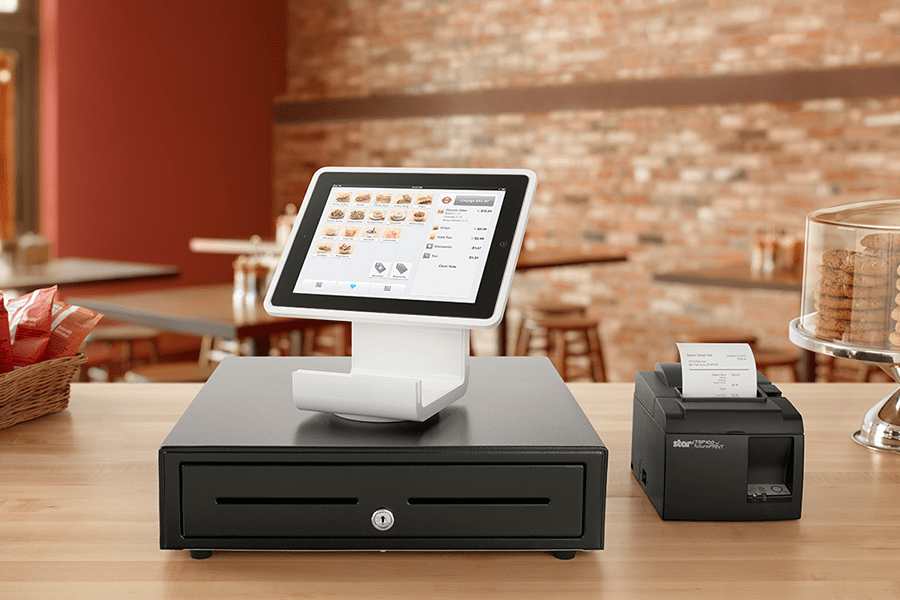
Typical hardware includes a computer or tablet terminal, barcode scanner, receipt printer, cash drawer, and card reader. The software handles everything from inventory tracking and employee management to loyalty programs and sales analytics.
5 Ways a POS System Transforms Small Business Operations
1. Real Time Inventory Management That Prevents Costly Mistakes
Manual inventory is slow, error prone, and expensive. A POS system for small business updates your stock levels automatically with every transaction, giving you an accurate, real time view of what you have, what’s running low, and what needs to be reordered. You can set automated alerts so you never face a stockout during your busiest periods.
The growing demand for POS software features such as inventory tracking, customer data management, and sales monitoring is one of the primary drivers behind small business adoption of modern POS systems. For any retail or food service business, that kind of real time visibility directly protects revenue and reduces waste.
2. Faster, More Flexible Transaction Processing
Slow checkouts cost you customers. A modern POS system streamlines the entire transaction, scanning items, applying discounts, and processing payments in seconds. Rising consumer preference for contactless NFC payments, QR codes, and mobile wallets has increased the need for reliable POS payment infrastructure at merchant locations. A system that accepts all major payment types keeps your line moving and reduces friction at the point of purchase.
Every transaction is also logged automatically, generating sales reports that show you exactly what’s selling, when, and at what margin with zero manual data entry.
3. Smarter Employee Management
A POS system simplifies workforce management by tracking employee shifts, hours worked, and individual performance. You can assign different access levels by role, a cashier sees what they need, a manager sees more, which protects your data and prevents unauthorized actions.
When integrated with payroll, the system captures hours automatically and generates accurate payroll reports, eliminating manual calculations. For a small business owner managing multiple employees across busy and slow periods, that time savings adds up fast.
4. A Better Customer Experience and Better Retention
Today’s POS system for small business include built-in CRM functionality that lets you collect customer data, track purchase history, and deliver more personalized service. You can run loyalty programs, offer targeted promotions, and make product recommendations based on what each customer actually buys, not guesswork.
Cloud POS systems have gained significant popularity among small businesses due to their benefits including remote access, subscription-based pricing, data security, and all-in-one inventory and customer management capabilities. A professionally installed point of sale system ensures your hardware and software work together seamlessly from day one, so every customer interaction feels smooth and effortless.
5. Sales Data and Analytics That Drive Better Decisions
Every sale generates data, and a good POS system for small business turns that data into insights you can actually use. You can identify your best selling products, measure the impact of promotions, track peak hours, and spot trends before they become problems.
POS system functions including sales analysis, inventory management, customer feedback tracking, and personnel management analytics are among the key capabilities driving adoption among small and mid sized businesses. For a small business competing against larger players, that kind of intelligence is a genuine advantage.
POS Systems and Physical Security: A Connection Worth Making
Your POS system handles sensitive payment data, employee records, and transaction historY which makes it a target. The security environment around your terminals matters just as much as the software running on them.
Businesses that pair their POS setup with CCTV surveillance at checkout areas gain documented protection against internal theft and fraudulent chargebacks. Video evidence tied to specific transactions gives you the proof you need when disputes arise. And a solid structured cabling foundation ensures your network stays reliable no dropped connections, no failed transactions at the worst possible moment.
Physical infrastructure and technology work together. Businesses that treat them as separate problems leave gaps that are easy to exploit.
What to Look for When Choosing a POS System
Ease of use: If your staff can’t learn it quickly, it creates friction rather than eliminating it. Prioritize an intuitive interface that minimizes training time.
Cloud-based vs. on-premise: Cloud POS systems are particularly appealing to small and medium sized businesses due to their affordability, ease of deployment, and low maintenance costs. For most small businesses, cloud-based is the smarter starting point.
Integration capabilities: Your POS should connect cleanly with your payment processor, accounting software, and e-commerce platform. Gaps in integration create manual work and data errors downstream.
Scalability: Choose a system that grows with you. If you add locations, new payment methods, or more staff, your POS should handle it without requiring a full replacement.
Support and reliability: When your POS goes down, your business stops. Make sure your provider offers responsive support and has a strong uptime record.
The Bottom Line
A POS system for small business isn’t just a checkout tool, it’s the operational backbone of a modern retail or service business. It manages your inventory, processes your sales, supports your team, builds customer loyalty, and gives you the data to make smarter decisions every single day.
Net Scaling Solutions installs and configures point of sale systems for small and mid sized businesses across Maryland and the Mid-Atlantic. We handle the hardware setup, network infrastructure, and integration so your system works reliably from day one.
Frequently Asked Questions
A POS system manages sales transactions, tracks inventory in real time, processes multiple payment types, and generates detailed sales reports. Modern systems also handle employee management, customer loyalty programs, and integrate with accounting and e-commerce platforms, making them the operational hub of your business.
Cloud-based POS software typically runs from $30 to $150 per month, with hardware costs ranging from a few hundred to a few thousand dollars depending on your setup. That predictable investment is generally far less than the cost of inventory errors, slow checkouts, or missed sales from an outdated system.
For most small businesses, yes. Cloud systems update automatically, allow remote access, scale easily, and cost less upfront. On-premise systems offer more data control and can operate without internet, but cloud has become the preferred choice for small businesses due to lower cost and greater flexibility.
For basic single-terminal setups, some businesses self-install. But for operations with multiple terminals, network requirements, integrated security cameras, or complex inventory needs, professional installation ensures everything works correctly from day one, and prevents costly configuration mistakes down the road.